Convert PDF to Word Without Losing Formatting? What Breaks
Convert PDF to Word without losing formatting? Tables, columns and fonts are where it breaks, and the file goes to a server to be converted. Here is what actually breaks, and what that means if your documents are regulated.
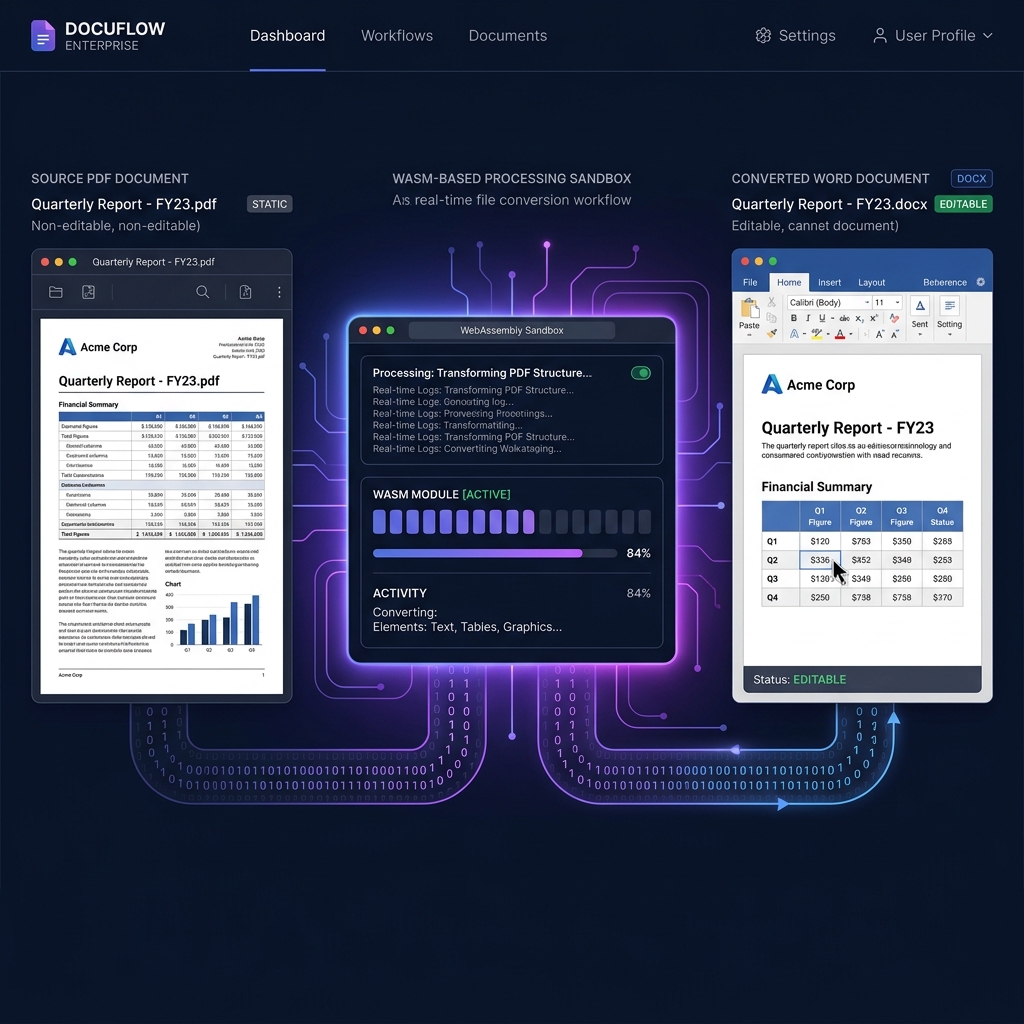
A PDF doesn't know what a "paragraph" is. A Word document is built almost entirely out of them. That mismatch is why so many PDF-to-Word converters produce a document that looks right at a glance and falls apart the moment you try to edit a table. Understanding it tells you which files will convert cleanly and which will always need cleanup — regardless of which tool you pick.
For legal teams editing master contract templates, HR departments updating employee handbooks, or finance departments extracting invoice data into editable forms, the friction is the same: the source document lives in a locked PDF, and the tools capable of rebuilding it into an editable file are demanding ones. This article covers what makes the conversion hard, what reliably breaks, and the question most converters are vague about — where your document is actually processed.
Can You Convert PDF to Word Without Losing Formatting?
The root cause of poor conversion quality—and the reason most tools destroy formatting—is a fundamental architectural mismatch between the PDF specification and the Word document model.
A PDF is a static two-dimensional vector map. It does not encode the concept of a "paragraph," a "table column," or a "heading hierarchy." Instead, it stores explicit coordinate commands that instruct a rendering engine where to draw ink on a fixed canvas. Every character, line, and image is positioned by absolute X/Y coordinates within a page boundary.
A Microsoft Word document (.docx) is the exact opposite: a dynamic, flow-based XML schema defined by ECMA-376 (Office Open XML). Text reflows based on margin and container rules. Tables define relational rows and columns. Headings map to a semantic document outline. When a naive conversion engine attempts to bridge this gap, it reads the raw text strings sequentially and dumps them without spatial context, producing broken paragraphs and collapsed table structures.
[PDF: Static Vector Map]                   [Word: Dynamic XML Flow]
──────────────────────                     ──────────────────────────
x:72, y:140, text:"Revenue"       vs.      <w:tbl><w:tr>
x:280, y:140, text:"$1,200,000"              <w:tc><w:p><w:r><w:t>Revenue</w:t>...
x:72, y:165, text:"Expenses"                 <w:tc><w:p><w:r><w:t>$1,200,000</w:t>...
x:280, y:165, text:"$940,000"              </w:tr></w:tbl>
The critical conversion challenge is inferring the relational structure of a Word document from the purely positional data of a PDF. Doing this accurately requires a spatial intelligence algorithm—not a simple string dump.
Why High-Fidelity Conversion Happens on a Server
Reconstructing a PDF as a well-formed Word document is computationally heavy and depends on large, frequently updated layout-analysis models. That is why essentially every converter that produces genuinely good table and column output — ours included — runs the conversion on a server rather than in your browser. Tools that do run fully in the browser can extract text and images from a PDF reliably, but rebuilding a table grid from raw coordinates is a different order of problem.
This is a real trade-off, not a marketing point, and it is worth stating in plain terms:
[Your PDF]  ──( encrypted HTTPS upload )──►  [Conversion service]
                                                      │
                                         ┌────────────▼─────────────┐
                                         │  Layout analysis          │
                                         │  Structure reconstruction │
                                         │  OOXML compilation        │
                                         └────────────┬─────────────┘
                                                      │
                                         ◄──( .docx returned )──
Utilitly's PDF to Office tool follows exactly this path. Your document is transferred over an encrypted connection to a third-party conversion service, converted, and returned to your browser as a download. The connection is encrypted in transit; the document itself does leave your device, and no amount of transport security changes that fact.
What This Means If Your Documents Are Regulated
If you work under HIPAA, GDPR, or a SOC 2 scope, the relevant question is not whether a connection is encrypted — it is whether you are permitted to disclose the document to an additional processor at all. Putting a PDF through this tool means exactly that.
Practical guidance, stated without spin:
- Protected health information: do not put PHI through this tool unless your organisation has assessed and approved it under the HIPAA Security Rule. Encryption in transit is not a substitute for that assessment.
- Personal data under GDPR: conversion involves a processor outside your organisation, so it needs to fit your existing lawful-basis and processor arrangements rather than being assumed compliant by default.
- Privileged or commercially sensitive material: if a document is sensitive enough that its disclosure to an additional service is itself the problem, this is not the right tool for it.
- When the constraint is absolute, use a converter that runs on hardware you control, or use Utilitly's in-browser text extractor — which runs entirely on your device — if plain text rather than a formatted Word file is enough for your task.
Which Teams Get the Most Out of PDF to Word Conversion
Setting the regulated cases aside, high-fidelity conversion earns its keep wherever the alternative is retyping a document by hand:
- Legal & Contracts: turning an executed agreement or an old filing back into an editable Word template instead of rebuilding the clause structure from scratch.
- Finance & Accounting: pulling tabular data out of statements, reports, and vendor invoices into Excel or CSV where the column structure actually survives.
- HR & People Operations: updating policy handbooks, offer letter templates, and review frameworks that only exist as legacy PDFs.
- Operations & Marketing: recovering the editable source of a deck or one-pager after the original file has been lost.
How Much Does Adobe Acrobat Pro Cost vs. a Browser-Based Tool?
The economics are a separate argument from the privacy one, and a simpler one. Most of a workforce only needs to convert or compress a document occasionally, and a full desktop licence for every one of those people is expensive. Prices below are list prices at the time of writing and are worth re-checking before you build a business case on them.
| Cost Metric (100 Employees) | Adobe Acrobat Pro | Utilitly Basic Tier |
|---|---|---|
| Annual Cost Per User | ~$239.88 ($19.99/mo) | $59.88 ($4.99/mo) |
| Total Annual Licensing | $23,988 | $5,988 |
| IT Deployment Overhead | High (MDM pushing gigabytes of installers) | Zero (Browser-based, zero install) |
| Annual ROI / Savings | Baseline | +$18,000 saved per 100 seats |
How to Convert a PDF to Word, Step by Step
- Open the converter: Go to the PDF to Word converter on Utilitly.com. This is a Basic-tier tool, so you'll need to be signed in; free accounts get one Basic action per month.
- Load the source document: Drag and drop your PDF onto the drop zone. Files up to 100 MB and 400 pages are accepted.
- Choose the output format: Pick Word (.docx), Excel (.xlsx), PowerPoint (.pptx), or CSV, depending on what you need to edit. Excel and CSV are the right choices when what you actually want is the table data rather than the page layout.
- Convert: Your document is transferred over an encrypted connection to the conversion service and rebuilt as an Office file. This takes longer than an in-browser operation would — it's a round trip plus real processing time.
- Check the output before you rely on it: Open the result and look specifically at tables, multi-column sections, and anything that was rotated or in a form field. Those are where conversion errors concentrate.
The Honest Summary
PDF to Word conversion is a structural inference problem, so its failures are predictable: tables with merged cells, rotated text, unusual embedded fonts, and form fields. Check those first, every time, and the tool will save you hours of retyping.
The other half of the picture is where the work happens. High-fidelity conversion, including ours, runs on a server, which means your document is disclosed to a processing service. For most business documents that's an easy trade. For regulated or privileged material it is a decision that belongs to your compliance team, not to a marketing page — and if the answer is no, that's a legitimate answer.
Convert a file with the PDF to Word converter, or see which of Utilitly's tools run entirely on your own device.
Frequently Asked Questions
Will tables and multi-column layouts stay intact when converting PDF to Word?
Usually, and far better than a plain text extraction would manage — the conversion service performs real layout analysis to rebuild table grids and column structure rather than dumping text in reading order. It is not infallible. Merged table cells, rotated text and form fields are the structures that most often come out wrong, so check those areas of the output before relying on it.
Does my document leave my device when I convert it?
Yes. Unlike Utilitly's merge, split, rotate and watermark tools, PDF to Office does not run in your browser. Your file is transferred over an encrypted HTTPS connection to a third-party conversion service, converted there, and returned to you. If that disclosure is a problem for your document, use a converter running on hardware you control instead.
Can scanned, image-only PDFs be converted to editable Word text?
Not directly — conversion works from the text objects already present in the PDF and their positions. A scanned page has no text objects, only an image. To get editable text out of a scan you need OCR first, which is a separate step: try the in-browser text extractor for a quick pass, or the OCR tool for better accuracy on difficult scans.
Is the converted DOCX compatible with Google Docs and LibreOffice?
Yes. The output is compiled as standard OOXML per the ECMA-376 specification, the same format Word itself uses, so any application that reads .docx files — Google Docs, LibreOffice Writer, Apple Pages — opens it without a proprietary format dependency.
What happens to embedded fonts that aren't installed on my system?
The Word XML output references fonts by name rather than embedding the font binary itself (unless the source PDF's font is embedded and the engine carries it through). If your system or the recipient's doesn't have that font installed, Word substitutes its own default — visually close in most cases, but not always identical spacing to the original PDF.