How to Split and Extract Confidential PDF Pages (Without Uploading Them)
To extract a specific page range from a large confidential PDF without uploading it to a cloud server, you need a local splitter that operates directly on the file's binary byte array inside your browser's RAM. Here is how the technology works.
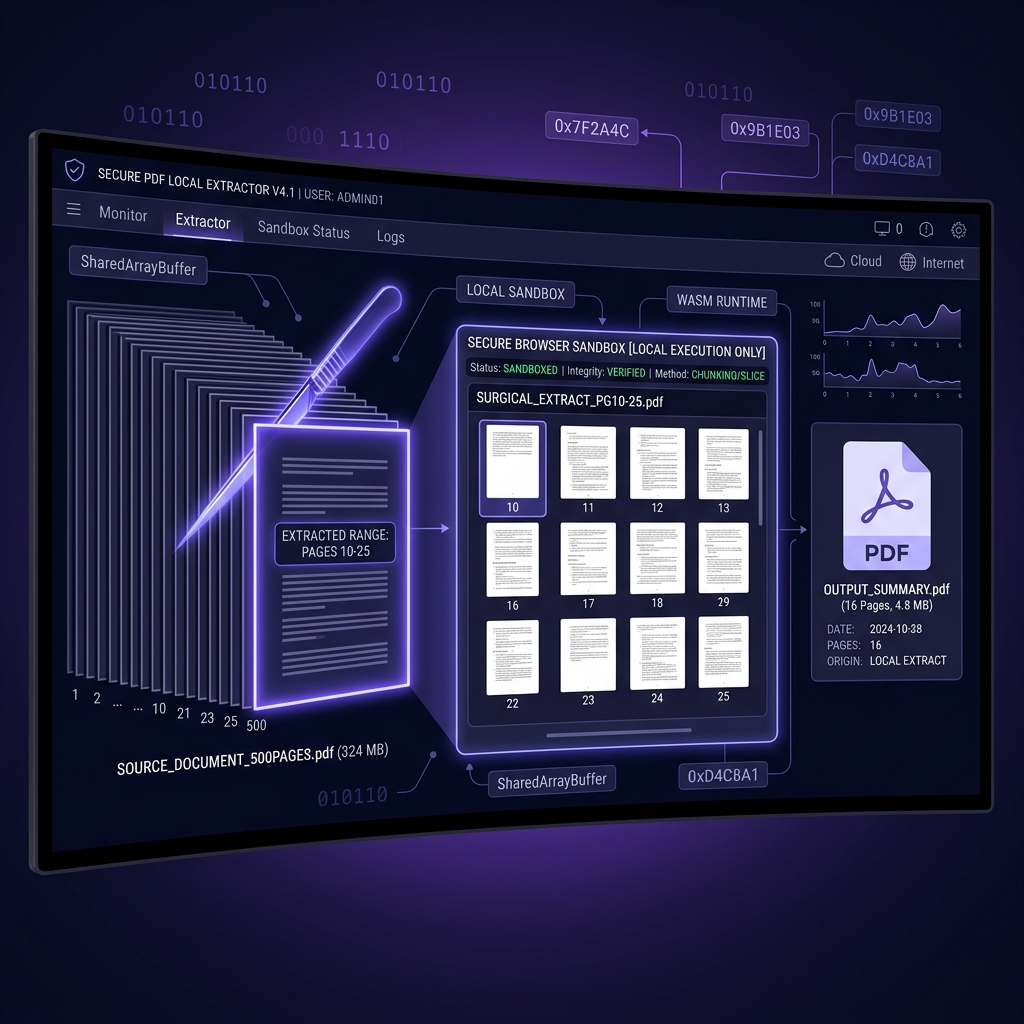
A question worth asking about any "PDF splitter": to hand you 16 pages, does your whole 200-page file have to leave the building? With a cloud tool the answer is always yes — the entire document is uploaded regardless of how small your requested range is, because the reconstruction runs somewhere that isn't your machine. That's not a minor inefficiency for legal professionals, accountants, and compliance teams handling multi-hundred-page portfolios — it's the difference between sharing 16 pages and exposing all 500.
Utilitly.com's PDF Split and Extract tool eliminates the exposure by doing the whole job where the file already is. Your document is parsed and rebuilt in the browser tab; only the extracted page range ends up in the output binary, which is served straight from local memory as a downloadable Blob URL. The full document is still read — you cannot rebuild a valid PDF without walking its object graph — but it is read on your device, by code running in your own browser, and no copy of it is transmitted.
The Internal Architecture of a PDF: Why Splitting Is Non-Trivial
A PDF file is not a linear sequence of page images. It is a structured binary container composed of several distinct internal components that must be precisely parsed and rebuilt when you extract a page subset:
[PDF Binary Structure]
├── Header           →  PDF version declaration (%PDF-1.7)
├── Body Objects     →  Page content streams, fonts, images, annotations
│   ├── Page 1 obj  →  Byte offset: 0x00A4
│   ├── Page 2 obj  →  Byte offset: 0x01F8
│   └── Page N obj  →  Byte offset: 0xFFDE
├── Cross-Reference  →  XRef table mapping object IDs to byte offsets
└── Trailer          →  Root catalog pointer and XRef byte offset
The cross-reference (XRef) table is the critical component. It acts as an index, mapping each object's ID to its exact byte offset within the file. When you extract pages 10 through 25 from a 500-page document, a naive tool that simply truncates the binary will produce a corrupted file because the remaining XRef entries will point to byte offsets that no longer exist in the truncated output.
A proper page extraction engine must: identify the object IDs belonging to the target page range, traverse the page tree to collect all dependent resource objects (fonts, image XObjects, annotation dictionaries), compile a new body containing only those required objects, recompute all byte offsets, and write a fresh XRef table and trailer pointing to the correct root catalog. This is a complete PDF reconstruction operation, not a simple file cut.
The Data Security Risk of Cloud-Based PDF Splitters
Traditional web-based PDF splitters resolve this complexity by uploading the entire source document to a remote server farm where the reconstruction logic runs on managed infrastructure. This creates an indefensible data security gap for any organization handling confidential material.
[200MB Confidential PDF]  ──( WAN Upload )──►  [Remote Server]
                                                      │
                                         ┌────────────▼──────────────┐
                                         │  Full Document Ingested   │
                                         │  Cached to Server Storage │
                                         │  Page Range Extracted     │
                                         └────────────┬──────────────┘
                                                      │
                                         ◄──( Split PDF Download )──
Consider the legal and compliance exposure: a 200MB litigation portfolio containing discovery materials, attorney-client privileged correspondence, and personally identifiable information (PII) is transmitted in full to an unaudited third-party server. If the remote platform's data retention policy retains files for 24 hours for "quality assurance," every page of that document—including the 484 pages you did not need—is exposed on foreign hardware under a retention schedule you did not agree to and cannot audit.
Under GDPR Article 5(1)(e), personal data must be kept in a form that permits identification "for no longer than is necessary." A cloud tool that ingests 500 pages to extract 16 is architecturally incapable of satisfying this mandate. The European Data Protection Board's guidance reinforces that minimization applies to processing, not just final storage — meaning the upload itself, not just what happens to the file afterward, is the compliance event. The entire document was exposed the moment the upload completed.
How Local, In-Browser Splitting Actually Works
Utilitly's PDF Split engine circumvents the cloud dependency entirely by reading the document into an ArrayBuffer in your browser's local memory and running the full reconstruction pipeline there, in JavaScript, with pdf-lib. Splitting a PDF is a structural operation, not a rendering one: the pages are never rasterized, no content is re-encoded, and nothing needs to be interpreted beyond the object graph. That is precisely why this job fits in a browser tab when conversion and OCR do not.
[Source PDF File]
      │
      ▼
[File read locally] ──► [ArrayBuffer in Browser RAM]
                              │
                              ▼
                    [Range "10-25, 30" parsed]
                    → page indices to keep
                              │
                              ▼
              ┌───────────────────────────────┐
              │  pdf-lib reconstruction       │
              │  1. Copy the kept pages       │
              │  2. Follow every object they  │
              │     reference, transitively   │
              │  3. Remap object IDs          │
              │  4. Serialize object streams  │
              │  5. Write new xref + trailer  │
              └───────────────┬───────────────┘
                              │
                              ▼
              [Output Blob URL] ──► [Local Download]
The source file is read into memory exactly once. pdf-lib then copies each requested page into a fresh, empty document — and copying a page means following every indirect reference that page depends on and pulling those objects across too, which is what makes the output standalone rather than a truncated fragment. Object IDs are renumbered into the new document's namespace as they land, so nothing collides. The pages you didn't ask for are simply never copied.
The reconstruction runs inside the browser tab's own memory, under the same-origin sandbox the browser applies to every page you visit. While the split executes, no request is issued and nothing is written to disk — you can watch that yourself in the Network tab rather than taking our word for it. Note that this work happens on the main thread, so a very large document will make the tab briefly unresponsive as it writes; the progress figure counts pages actually copied, not elapsed time.
In-Browser Splitting vs. Cloud Splitting: A Direct Comparison
| Security & Performance Vector | Traditional Cloud PDF Splitters | Utilitly.com (In-Browser) |
|---|---|---|
| Full Document Exposure | Entire file uploaded regardless of page range | File read locally; no copy leaves the device |
| Network Data Transfer | Full binary payload transmitted over WAN | Zero bytes transmitted; no network socket opened |
| Processing Speed on Large Files | Throttled by upload bandwidth and server queue | Bound by local CPU, not upload bandwidth or queue |
| Data Retention Risk | Server may cache full document for hours or days | RAM is cleared on tab close; zero persistent storage |
| GDPR / HIPAA Compliance | Fails data minimization and retention principles | Natively compliant; no external processor involved |
| Where the Full Document Is Read | On a third-party server, after a full upload | In your browser tab; the read never leaves the device |
| Output File Integrity | Server-side reconstruction; no local verification | New document serialized locally with a fresh xref |
Who Needs a Secure Local PDF Splitter
The operational need to extract a precise page range from a large document without surrendering the full file to a cloud processor spans every regulated industry:
- Legal Teams: Extracting specific exhibit pages from a multi-hundred-page discovery bundle to share with co-counsel without exposing privileged sections of the document to an unverified upload platform.
- Accounting & Audit Firms: Isolating a single quarterly financial statement from a full-year general ledger PDF for client review, without exposing the entire ledger to a third-party server's retention schedule.
- Healthcare Administrators: Extracting a patient's specific visit notes from a comprehensive multi-year medical record PDF without transmitting protected health information (PHI) off-premises.
- Enterprise IT & Compliance Officers: Splitting large vendor contract portfolios or internal policy documents for departmental distribution without triggering a data governance incident.
Step-by-Step: How to Split and Extract PDF Pages Locally
The entire page extraction pipeline executes inside your browser tab. No installation, no account, no upload:
- Open the Splitter: Navigate your browser to the PDF Split Tool on Utilitly.com. The page loads its JavaScript and nothing else — there is no engine to install and no account to create.
- Drop Your Source Document: Drag and drop your large PDF onto the processing canvas. The browser reads the entire file into an ArrayBuffer in local RAM and reports the page count back to you. At this stage the file exists only in your device's volatile memory—no bytes have left your machine.
- Define Your Extraction Range: Enter the pages you need. The field accepts ranges and individual pages together —
10-25, 30, 44-46— and the tool resolves that string into the set of page indices to keep, showing you the resulting page count before you commit. - Run the Extraction: Click the Extract trigger. pdf-lib copies each selected page into a new document, transitively pulling in every resource object those pages reference, remapping object IDs into the new namespace, and serializing a standalone PDF—all inside the browser tab.
- Download the Extracted Output: The browser generates a local Blob URL for the reconstructed PDF containing only your specified pages. Click to download it directly to your local storage, or save it to your Vault, which keeps it in this browser's IndexedDB on this device.
The Only Secure Way to Split a Confidential PDF
When the document in question contains privileged legal correspondence, protected health information, or material non-public financial data, the architecture of the tool you use to process it is not a technical detail — it is a compliance decision, and it's decided before you ever click "extract." A splitter that needs the whole file first has already made that decision for you.
Navigate to the PDF Split Tool on Utilitly.com and perform your first local page extraction—no upload required, no data ever leaves your browser.
Frequently Asked Questions
Can I split a password-protected PDF?
No — the splitter rejects encrypted files, because it has to parse the document's page tree and object structure to work out what belongs in your extraction range, and it can't do that against content it can't decrypt. Remove the password first with Utilitly's Unlock PDF tool (you'll need the password you already have), then split the decrypted copy. Like the splitter, Unlock PDF runs entirely in your browser — neither the document nor the password is transmitted.
What happens to bookmarks and hyperlinks when I extract a page range?
The outline — the bookmark tree — is not preserved. It lives in the document catalog rather than on the pages themselves, so it isn't carried into the new document the extraction builds; you get your page range back with no bookmarks. Link annotations attached to a page do travel with that page, but any link whose destination was a page outside your range has nothing to point at in the output.
Is there a page-count or file-size limit for splitting?
The practical limit is your device's available RAM, not a server-imposed cap — the whole file is held in browser memory rather than streamed to a server queue. Extraction time scales with the number of pages you keep and the size of the resources they reference, and it runs on the main thread, so a very large job can leave the tab briefly unresponsive while it writes.
Can I extract non-contiguous pages, like 3, 7, and 12, in a single pass?
Yes. The range field accepts multiple ranges and individual page numbers together, like '3, 7, 12-14', and compiles all of them into a single output document. One thing to know: pages always come out in ascending document order, and duplicates are collapsed — the field selects which pages to keep, it doesn't re-sequence them. To change their order, reorder the extracted file afterwards.