How to Rearrange and Organize PDF Pages Using Client-Side Execution
To rearrange or reorder pages inside a PDF without expensive desktop software or cloud tools that capture your data, you need a client-side page organizer that rebuilds the document's page tree and cross-reference table directly in your browser's local memory.
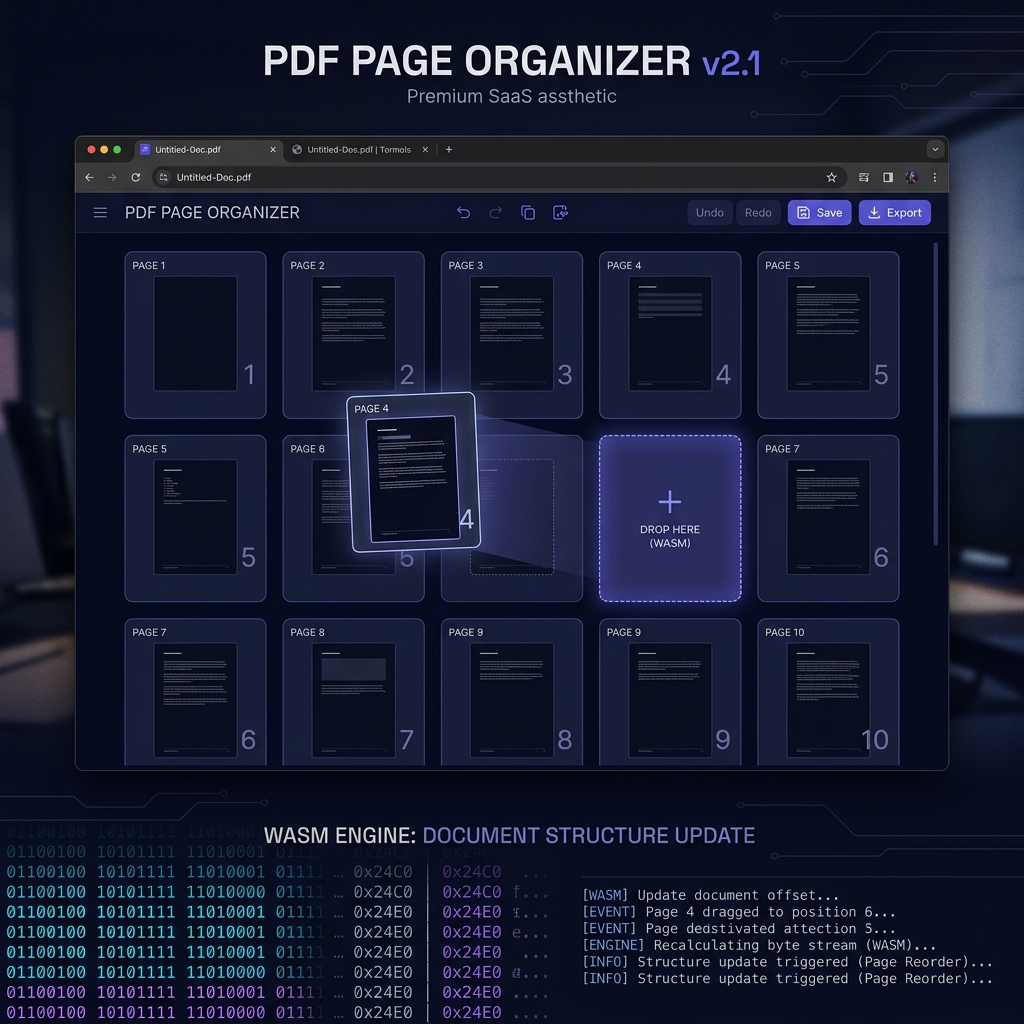
Drag a page thumbnail to a new position and what you're moving is a plan, not the file. The drop event reorders a list held in the tab; nothing has been written yet. When you click Export, Utilitly's PDF Organizer does the real structural work — the same page tree rebuild a desktop application would perform — using pdf-lib, an ordinary JavaScript library, inside the browser tab instead of on a cloud server or through an installed binary.
Whether you are a consultant reordering the sections of a client-facing proposal, a publisher reorganizing chapter drafts, a legal team inserting a new exhibit into an existing submission, or an operations manager merging a revised addendum onto the front of a policy document—the underlying need is the same: precise, deterministic control over page order, with no third-party data exposure.
Why Reordering PDF Pages Is an Internal Document Surgery Operation
To understand why naive implementations fail—and why this particular job belongs in the browser rather than on a server—you must first understand what page order means inside a PDF binary.
A PDF does not store pages as a sequential flat list of data blocks. Pages are referenced through a hierarchical Page Tree: a tree of internal dictionary objects where each node references its children by object ID, and each leaf node (a page object) contains pointers to its associated content streams, font resources, image XObjects, and annotation dictionaries.
[Root Catalog]
      │
      └──► [Pages Node: /Kids [3 0 R, 7 0 R, 12 0 R, 18 0 R]]
                   │           │           │           │
               [Page 1]    [Page 2]    [Page 3]    [Page 4]
               obj 3       obj 7       obj 12      obj 18
               offset:     offset:     offset:     offset:
               0x00A4      0x01F2      0x03C8      0x058E
When you move Page 3 to position 1, a correct reorder operation must update the /Kids array in the Pages node dictionary to reflect the new sequence. But that is only the beginning. Every object's byte position within the file has shifted, which means the entire cross-reference (XRef) table—which maps object IDs to their exact byte offsets—must be recomputed and rewritten. Any tool that updates the page sequence without rewriting the XRef table produces a structurally invalid PDF that will either render incorrectly or fail to open in strict PDF readers.
[Result of a naive page reorder without XRef rebuild]

Adobe Reader:  "There was an error opening this document.
                The file is damaged and could not be repaired."

PDF.js:        Error: XRef: Invalid dict or name
               at _XRef_processXRefTable
The Hidden Cost of Traditional Desktop and Cloud PDF Organizers
Legacy approaches to this problem fall into two categories, both with significant drawbacks.
Desktop software (Adobe Acrobat Pro, Foxit PhantomPDF) runs the reconstruction logic locally, which is architecturally correct, but demands a paid subscription of $180–$360 per year per seat, requires installation and update maintenance, and locks capabilities behind licensing tiers. For a team that needs to rearrange one document per week, the cost-to-value ratio is indefensible.
Cloud web tools eliminate the installation friction but introduce a far more serious problem: your document is uploaded in its entirety to an external server before any page reordering occurs.
[Your PDF]  ──( Full Upload )──►  [Third-Party Cloud Server]
                                           │
                                  ┌────────▼────────┐
                                  │  Page Tree Read │
                                  │  Order Updated  │
                                  │  XRef Rebuilt   │
                                  │  File Cached    │
                                  └────────┬────────┘
                                           │
                                  ◄──( Reordered PDF )──
This means a confidential legal brief, a board presentation, or a proprietary product specification is transmitted in full to unverified infrastructure just so you can move two pages. The server logs your file's binary payload, caches it for an indeterminate retention window, and your organization has no audit trail for that external data transfer. The UK Information Commissioner's Office's guidance on the storage limitation principle is explicit that data should not be transmitted or retained beyond what a task actually requires — and moving two pages within a document doesn't require exposing the whole file to a third party at all.
How the Page Tree Rebuild Works Locally
Utilitly's PDF Page Organizer resolves this with a zero-server-dependency architecture, and the reason it can is that reordering pages never requires understanding what the pages say. When you load a PDF into the organizer canvas, the file is read into a raw ArrayBuffer in your browser's local RAM. Two JavaScript libraries then work on that buffer, and neither of them sends it anywhere: pdf.js parses the document and rasterizes the thumbnails you see, and pdf-lib parses the object tree it will later rebuild from. There is no rasterization of the output, no re-encoding of content streams, and no upload.
[PDF ArrayBuffer in tab memory]
              │
              ▼
    ┌─────────────────────────┐
    │  Parse object tree      │  → pdf-lib: page objects + dependencies
    │  Parse + render pages   │  → pdf.js: thumbnails onto a canvas
    └──────────┬──────────────┘
               │
        [Drag Event: Move Page 3 → Position 1]
               │
               ▼   (reorders a list in the page — nothing written yet)
               │
        [Export clicked]
               │
               ▼
    ┌─────────────────────────────────────────┐
    │  pdf-lib rebuild                        │
    │  1. Copy each page into a new document  │
    │     in the chosen order                 │
    │  2. Follow every reference the page     │
    │     needs (fonts, images, annots)       │
    │  3. Remap object IDs into one namespace │
    │  4. Serialize: object streams +         │
    │     a fresh cross-reference stream      │
    └──────────────────┬──────────────────────┘
                       │
                       ▼
              [Blob URL] ──► [Local Download]
Every drag-and-drop interaction only updates the ordered list held in the page — cheap, instant, and reversible. The actual PDF reconstruction is deferred until you click Export, at which point pdf-lib copies each page into a fresh document in your chosen order and serializes it in a single pass, producing a Blob URL that points at the rebuilt binary in local memory. That export runs on the main thread, so a very large document can make the tab briefly unresponsive while it writes; the percentage you see is counting pages actually written, not animating a timer. No intermediate file is written to disk. No network request carries your document.
Page Thumbnails: Real-Time Rasterization Without Server Rendering
A critical feature of any usable page organizer is the visual thumbnail grid—you need to see what each page contains before you decide where to move it. Traditional cloud tools generate these thumbnails server-side, which requires your document to be uploaded before you can even begin interacting with the organizer UI.
Utilitly's organizer generates page thumbnails entirely locally using pdf.js — Mozilla's JavaScript PDF renderer, the same engine Firefox uses to display PDFs — driving the browser's native Canvas 2D rendering context. pdf.js does its parsing and decoding in a Web Worker, which is why thumbnailing a long document doesn't lock up the interface. Each page's content stream is decoded and rasterized into a canvas bitmap, and that bitmap becomes the thumbnail card in the drag-and-drop grid. The entire visual layout of your document is visible locally before you make a single change. The one thing fetched over the network is the pdf.js worker script itself, once, from a public CDN — your document is not part of that request and is never sent anywhere.
Client-Side Organizer vs. Desktop and Cloud Alternatives
| Evaluation Vector | Desktop Software (Acrobat Pro) | Cloud Web Organizer | Utilitly.com (In-Browser) |
|---|---|---|---|
| Data Transmission | Local only | Full file uploaded to cloud | Local only; zero network transfer |
| Cost | $180–$360 / year per seat | Free tier; paywalled features | Free; no account required |
| Installation Required | Yes; per-OS, per-machine | No | No; runs in any modern browser |
| XRef Table Rebuilt | Yes | Server-side; unverifiable | Yes; rebuilt in the browser tab |
| GDPR / HIPAA Compliant | Yes (local execution) | No; file uploaded externally | Yes; no external processor used |
| Thumbnail Generation | Local rendering | Server-side after upload | Local canvas rasterization |
Practical Use Cases for Local PDF Page Reordering
- Publishers & Editors: Reorganizing chapter layouts in a manuscript PDF, resequencing article pages in a compiled journal issue, or restructuring a book's front matter (dedication, table of contents, foreword) into the correct publication order—without the overhead of a full desktop layout application like InDesign.
- Academic Researchers: Reordering scanned source material sections, rearranging annotated literature review pages by citation relevance, or restructuring thesis chapters before submission to a portal with strict structural requirements. Zero cloud exposure means NDAs with research institutions are not violated.
- Legal Professionals: Inserting a newly signed exhibit between existing pages of a submitted brief, or promoting a summary page to the front of a discovery bundle for clearer navigation.
- Business Consultants: Reordering sections of a client-facing proposal deck without exposing proprietary financial projections to an unverified cloud processor.
- Operations & HR Teams: Appending a revised policy addendum to the front of a company handbook, or reordering onboarding document sections to match a new process flow.
Step-by-Step: How to Reorder PDF Pages Locally Without a Cloud Upload
- Open the Page Organizer: Open your browser and navigate to the PDF Page Organizer on Utilitly.com. The page loads the JavaScript it needs and nothing else; there is no account step and no install.
- Load Your Source Document: Drag and drop your PDF onto the organizer canvas. The browser reads it into a local ArrayBuffer, pdf.js parses it and begins rasterizing thumbnails onto a canvas, and pdf-lib keeps a copy of the raw bytes for the rebuild later. Your file has not touched a network connection at any point.
- Reorder Pages via Drag-and-Drop: Drag any thumbnail card to its new position in the visual grid, or use the keyboard controls on a card to nudge it. Each drop reorders the list the exporter will read, and the grid reflects the new order instantly. Nothing is written to a file yet.
- Rotate or Remove Pages as Needed: Click the rotate control on a thumbnail to turn that page 90° at a time, or the delete control to drop it from the sequence entirely. Both are recorded against the page and applied during export; Reset restores the document's original order at any point.
- Export and Download: Click Export. pdf-lib copies each page into a new document in your chosen order, applies any rotations, and serializes the result with a fresh cross-reference stream. The browser generates a local Blob URL — click to download the reordered PDF to your drive, or save it to your Vault, which stores it in this browser's own IndexedDB on this device.
Deterministic Page Control Without Data Exposure
Page reordering is a small operation, but it's a good test of whether a tool's "local processing" claim is real. Open your browser's Network tab, reorder a document, and export it: if the claim holds, you will see no request carrying your file — because reordering pages never required reading their contents in the first place, only splicing the objects that represent them.
Navigate to the PDF Page Organizer on Utilitly.com and rearrange your first document entirely within your own browser's memory.
Frequently Asked Questions
Can I rotate or delete pages while reordering?
Yes. Each thumbnail has a rotate control that turns that page 90° at a time and a delete control that drops it from the sequence, and both are applied when you export. Reset restores the document's original order and rotation. Inserting pages from a second PDF is not supported in the organizer — use the Merge PDF tool to combine files first, then reorder the combined document.
Will reordering pages break bookmarks or internal links?
The bookmark tree is not preserved. A PDF's outline lives in the document catalog rather than on the pages, so it isn't carried over when pages are copied into the rebuilt document — reordering a bookmarked PDF gives you back a correctly ordered file with no outline. Link annotations attached to a page do move with that page, but a link pointing at a page you deleted no longer resolves.
Does reordering pages change the file size of my PDF?
Slightly, and usually downward. The export writes a brand-new document using object streams and a compressed cross-reference stream rather than patching the original, so unreferenced leftovers from the source file's earlier edits are simply never copied across. The output is rarely larger than the input, even though the whole binary was rebuilt.
Can I reorder pages in a scanned, image-only PDF?
Yes. Scanned PDFs still use the same page tree and object structure as text-based PDFs — each scanned page is just an image XObject inside a page object rather than a text content stream. Reordering never inspects page content, so the rebuild and the thumbnail rasterization work identically whether the page holds text or a scan.