Email Attachment Too Large? How to Compress a PDF Locally in RAM
To reduce a PDF that is too large to email, you can use a client-side compression engine that runs entirely in your browser RAM, stripping metadata and downsampling DPI without uploading your file to any cloud server.
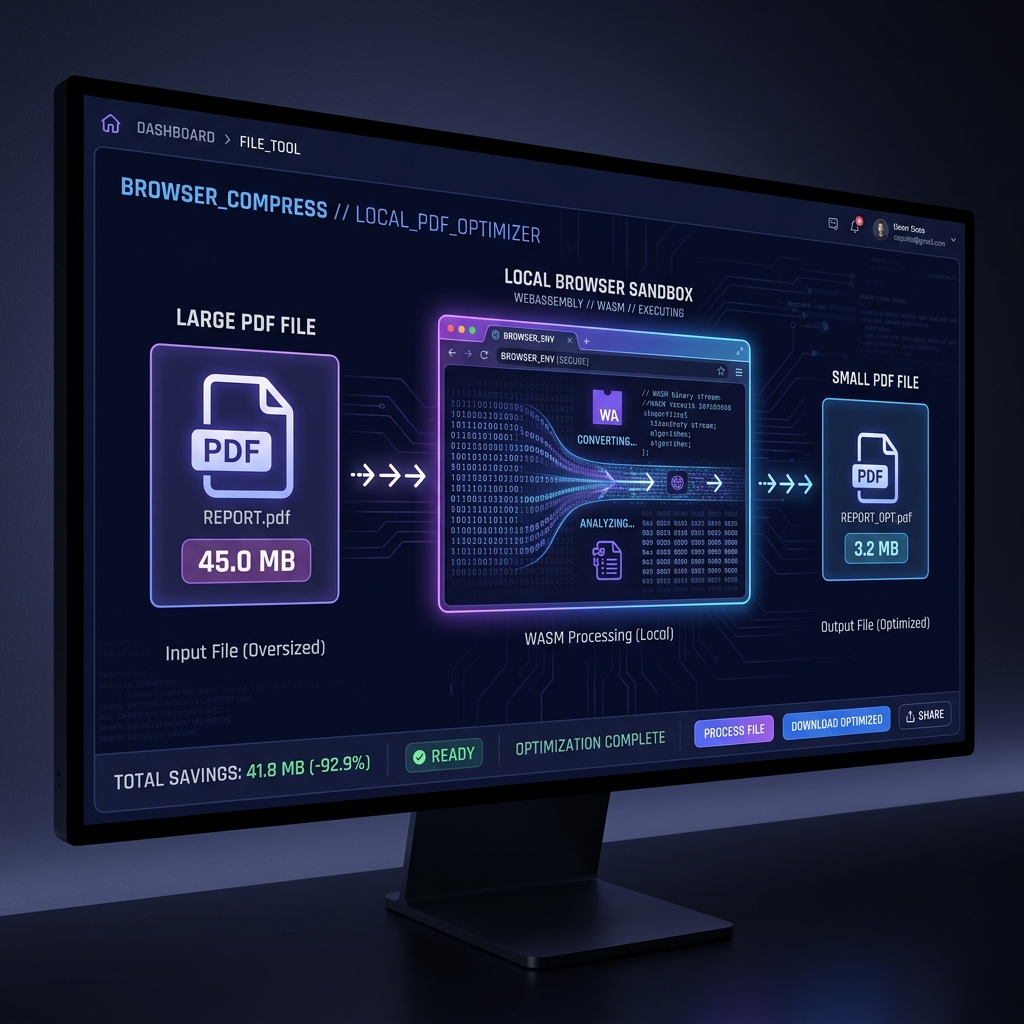
Gmail caps attachments at 25MB. A single-page invoice exported from InDesign at 300 DPI can hit 8MB on its own; a 20-slide proposal deck routinely clears 40MB. The gap between those numbers is where most people end up searching for a PDF compressor at 11pm before a deadline — and landing on a cloud tool that uploads the exact confidential file they're trying to send. Utilitly's compression engine runs the same DPI downsampling and metadata-stripping pipeline a cloud tool would, but inside your browser's local RAM instead of on someone else's server.
Whether you are a freelancer trying to send a design portfolio over Gmail, a legal assistant attaching a contract to a case management portal, or a student hitting an upload cap on a university submission system, the problem is always the same: your PDF is too large, and every "free" tool on the internet wants you to upload it to a server you know nothing about.
Why PDF Files Grow So Large in the First Place
A PDF is not a simple container of text. It is a composite binary format that can simultaneously embed high-resolution raster images, embedded font subsets, vector graphic path commands, JavaScript action scripts, invisible XMP metadata payloads, and color profile ICC tags. When a document is assembled by a design application like Adobe InDesign or exported from a browser print dialog, it embeds assets at their full native resolution—often 300 DPI or higher—because the export engine prioritizes visual fidelity over file size.
The result is a single-page invoice that weighs 8MB, or a 20-slide business proposal that hits 45MB, because every embedded logo and background graphic is stored at print resolution even when the recipient will only ever view it on a 72 DPI screen. The wasted data is invisible to the reader but creates a massive payload that breaks attachment limits.
[Original PDF Binary]
├── Embedded Fonts (subset)    →  ~0.8 MB
├── High-DPI Raster Images     →  ~12.4 MB  ← Primary bloat source
├── Vector Path Commands       →  ~0.3 MB
├── ICC Color Profiles         →  ~0.4 MB
└── Hidden XMP Metadata        →  ~0.1 MB
                                  ─────────
Total Unoptimized Payload      →  ~14.0 MB
Common Mistakes: Why "Print to PDF" Creates Bloated Files
A frequent user workaround for large files is opening the document and using the operating system's "Print to PDF" dialog. This is an architectural mistake. Print spoolers are designed to guarantee visual fidelity on physical paper, not to optimize digital transmission. When you "Print to PDF," the OS often rasterizes vector text into high-resolution images, embeds full font payloads rather than subsetting them, and strips out internal document structure. The resulting file is frequently larger than the original and loses its searchable text properties.
The Security Risk of Traditional Cloud PDF Compressors
When users search for a free way to reduce a PDF's file size, they almost always land on server-side web tools. These platforms present a simple upload interface, but underneath, they run a fundamentally insecure architecture. Your document is transmitted in its entirety—images, metadata, embedded text, and all—over the open internet to an external processing cluster.
[Your Private PDF]  ──( WAN Upload )──►  [Third-Party Cloud Server]
                                                    │
                                          ┌─────────▼──────────┐
                                          │  Server-Side Queue  │
                                          │  External Storage   │
                                          │  Compression Job    │
                                          └─────────┬──────────┘
                                                    │
                                          ◄──( Download Link )──
This architecture creates a chain of custody for your data that you do not control. If you are compressing a financial statement, an NDA, or a medical record, that document now lives on an external drive at the moment of upload. If the platform's automated file deletion script fails, or if its TLS configuration is misconfigured, your private document remains exposed on hardware you have never audited. For any organization subject to data protection or SOC 2 requirements, this is not a theoretical risk—it is a compliance violation at the moment of transmission.
How Utilitly's Local Compression Pipeline Works
The Utilitly PDF Compress tool is engineered around a completely different architecture. Instead of relying on a remote server queue, the compression engine ships as a pre-compiled WebAssembly (WASM) binary that is loaded directly into your browser's execution sandbox. All processing logic—DPI matrix downsampling, metadata stripping, and cross-reference table rewriting—runs inside your own machine's memory.
[Your PDF File]  ──►  [Browser ArrayBuffer]  ──►  [WASM Linear Memory]
                                                           │
                                              ┌────────────▼────────────┐
                                              │  Stage 1: DPI Resample  │
                                              │  (300 DPI → 96 DPI)     │
                                              ├────────────┬────────────┤
                                              │  Stage 2: Strip XMP /   │
                                              │  ICC / Embedded Scripts │
                                              ├────────────┬────────────┤
                                              │  Stage 3: Rewrite XRef  │
                                              │  Table & Linearize PDF  │
                                              └────────────┬────────────┘
                                                           │
                                              [Compressed Blob URL]  ──►  [Local Download]
When you drop a PDF onto the processing canvas, the JavaScript layer captures the file as an ArrayBuffer object directly in browser RAM. This byte array is written into the linear memory space allocated to the WASM instance. The compression engine then executes three discrete optimization passes without a single outbound network packet:
- DPI Matrix Downsampling: Raster images embedded in the PDF are decoded, resampled from their native print resolution down to screen-optimized 96–150 DPI, and re-encoded using optimized compression parameters. This single stage accounts for the largest reduction in file weight.
- Metadata & Profile Stripping: Hidden XMP metadata blocks, embedded ICC color profiles, and unused JavaScript action scripts are identified and excised from the binary structure, reclaiming payload space that is invisible to the reader.
- Cross-Reference Table Rewrite: The PDF's internal XRef index table is recomputed and linearized, removing fragmented dead-space blocks left behind by previous edits or export operations.
The Hidden Benefit: PDF Linearization ("Fast Web View")
When Utilitly's compression engine rewrites the cross-reference (XRef) table, it simultaneously linearizes the output document per the ISO 32000-2 Annex F specification for linearized ("Fast Web View") PDFs. A linearized PDF restructures the byte sequence so that the first page's content, fonts, and images appear at the very beginning of the file. This allows web browsers to display the first page immediately while the rest of the file downloads in the background—a critical performance optimization for large documents hosted on the web.
Benchmark example (internal test, not independently re-verified for this article): A 14.0 MB invoice PDF containing 300 DPI embedded images reduced to approximately 1.1 MB at the Screen profile (96 DPI target)—a 92% reduction in under 2 seconds entirely within local RAM. Your own reduction ratio will vary with how much of the source file is high-DPI raster content versus vector text, since only the raster portion benefits from DPI downsampling.
Local Sandboxing vs. Cloud Compression: A Direct Comparison
| Evaluation Metric | Traditional Cloud Compressors | Utilitly.com Client-Side Engine |
|---|---|---|
| Data Transmission | Full file binary uploaded over WAN | Zero network upload; file stays in local RAM |
| Third-Party Data Risk | File cached on external server drives | No file data ever reaches an external drive |
| Processing Speed | Queued on server; slows under traffic load | Instant; scaled by your local CPU and RAM |
| Compliance Viability | Fails GDPR, HIPAA, and SOC 2 mandates | Natively compliant via local sandbox isolation |
| File Size Ceiling | Often capped at 5–25MB behind a paywall | Scaled by your device's available RAM |
Who Needs a Secure Local PDF Compressor
The need to shrink a PDF without compromising its contents or exposing its data cuts across every industry and professional role:
- Freelancers & Designers: Sending high-fidelity creative portfolios or client proposals via email without hitting the 25MB Gmail or Outlook attachment ceiling.
- Legal & Finance Professionals: Compressing multi-exhibit case files or quarterly financial statements for upload to secure case management or audit portals without violating data governance policies.
- HR & Recruiting Teams: Optimizing candidate application bundles or onboarding document packets that need to pass through corporate email filters with strict attachment size policies.
- Students & Academics: Compressing scanned thesis chapters or image-heavy research papers before submitting them to university portals that enforce strict MB upload caps.
Step-by-Step: How to Compress a PDF Securely in Your Browser
Reducing your document's file size without a cloud server upload is a single, streamlined pipeline:
- Open the Local Compression Engine: Navigate your browser directly to the PDF Compress Tool on Utilitly.com. The WASM engine binary preloads silently into your browser's execution cache.
- Load Your Source Document: Drag and drop your oversized PDF onto the processing canvas. The JavaScript layer immediately captures the file as a local ArrayBuffer in your browser's RAM—nothing is transmitted over the network at this stage.
- Select Your Compression Level: Choose from the available optimization profiles. Each maps directly to a specific resampling target: Screen (96 DPI) for maximum compression, Web (150 DPI) for standard digital viewing, or Print (300 DPI) for high-fidelity archival. The WASM engine applies this target directly during the image downsampling phase.
- Execute the Local Processing Run: Click the Compress trigger. The engine runs all three optimization stages—image downsampling, metadata excision, and XRef table linearization—entirely within your local browser sandbox. Processing completes in seconds.
- Download or Vault Your Output: The system generates a local Blob URL for your compressed PDF. Click to download it directly to your local storage drive, or save it securely inside your encrypted Vault container on Utilitly.com for later retrieval.
Stop Feeding Your Private Documents to Cloud Servers
An oversized attachment is a nuisance you can solve in a browser tab in under a minute — you don't need to trade your file's privacy to fix it. The next time Gmail or Outlook bounces your PDF back, compress it locally instead of handing it to a server you've never audited.
Navigate to the PDF Compress Tool on Utilitly.com and reduce your file size in seconds without surrendering a single byte of your data to a third party.
Frequently Asked Questions
Will compressing a PDF make the text blurry or hard to read?
No — text in a PDF is stored as vector outlines or font glyph references, not as pixels, so compression doesn't touch it. Only embedded raster images (photos, scanned pages, screenshots) are downsampled. If your PDF is a scanned document where the 'text' is actually an image, aggressive compression can visibly soften it, which is why the Screen profile is best reserved for documents you know contain real text plus photos, not scanned pages.
What is the difference between the Screen, Web, and Print compression profiles?
They set the target DPI for embedded raster images: Screen (96 DPI) gives the smallest file and is right for email and on-screen reading; Web (150 DPI) is a middle ground for documents that might get zoomed or printed casually; Print (300 DPI) preserves near-original image fidelity for documents headed to a commercial printer, at the cost of a smaller size reduction.
Does compressing a PDF remove hyperlinks or form fields?
No. The compression pipeline targets embedded raster images, XMP/ICC metadata, and XRef table fragmentation — it doesn't touch the document's link annotations, form field objects, or bookmark structure, all of which pass through the XRef rewrite unchanged.
Is there a file size limit for local PDF compression?
The ceiling is your device's available RAM rather than a fixed cap, since the file is loaded into local memory instead of uploaded to a server queue. In practice this means Utilitly can handle files well beyond the 5–25MB limits common on free cloud compressors.