Why Server-Side PDF Processing is Obsolete: The WebAssembly Era
Client-side WebAssembly (WASM) secures online PDF utilities by executing compiled binary code directly within the user's browser sandbox, completely eliminating server-side retention risks.

"Your files never leave your browser" is a claim, not a guarantee — and our security team's position is that you shouldn't have to take a vendor's word for it. WebAssembly (WASM) is what makes that claim checkable: it executes compiled binary code directly inside the browser's own sandbox, and the browser's Network tab will show you exactly what does or doesn't leave the machine while it runs. This is the architecture behind every Utilitly tool, and later in this post we walk through how to verify it yourself rather than trust the marketing copy.
The Core Problem: Where Do Your PDFs Go When You Upload Them?
Every time an employee uploads a document to a traditional online PDF tool, they create an untracked data footprint. Legacy document platforms rely entirely on server-side processing architectures. When a user clicks "Convert," the file is transmitted over the internet to a remote cloud server, processed in a third-party environment, and temporarily cached on external drives.
[User Browser] ───( Internet Transmission )───► [Third-Party Cloud Server] ───► [Cached File Storage]
This structural dependency introduces severe corporate data governance vulnerabilities. If a platform experiences a server breach, or if its automated data retention cleanup script fails, confidential corporate files remain exposed on external hardware. For industries managing personally identifiable information (PII), protected health information (PHI), or financial balances, this workflow violates basic data protection and SOC 2 compliance standards. The data exposure happens the exact moment the file leaves the local browser environment.
What is WebAssembly (WASM) and How Does It Run in the Browser?
WebAssembly, or WASM, is a low-level binary code format standardized by the W3C WebAssembly Core Specification, designed to execute complex operations at near-native speed directly inside web browsers. Instead of relying on slow JavaScript interpretation or risky remote cloud computing instances, web developers can compile high-performance backend languages like C++, Rust, or Go into a compact .wasm file. This file is delivered to the user's browser just like an image or a stylesheet.
[Browser Process]
 ├── DOM (UI Layer)
 ├── V8 Engine (JavaScript)
 └── [WebAssembly Virtual Machine] ◄── Cryptographic Sandbox
      ├── Linear Memory (ArrayBuffer)
      ├── Execution Stack (Isolated)
      └── Network Access: DENIED by default
Once loaded, the WebAssembly engine runs inside an isolated, highly secure browser runtime sandbox. It accesses the local CPU and memory resources allocated to that specific browser tab, running independently from the host operating system. For a PDF utility like Utilitly.com, this means all intensive processing tasks—such as parsing deep structural layout grids, rendering visual font layers, or extracting text strings—happen entirely inside the client-side sandbox environment on the user's machine.
Local Sandboxing vs. Remote Server Processing
To understand exactly why this framework protects data privacy, look at how system resources and data streams shift between these two execution frameworks.
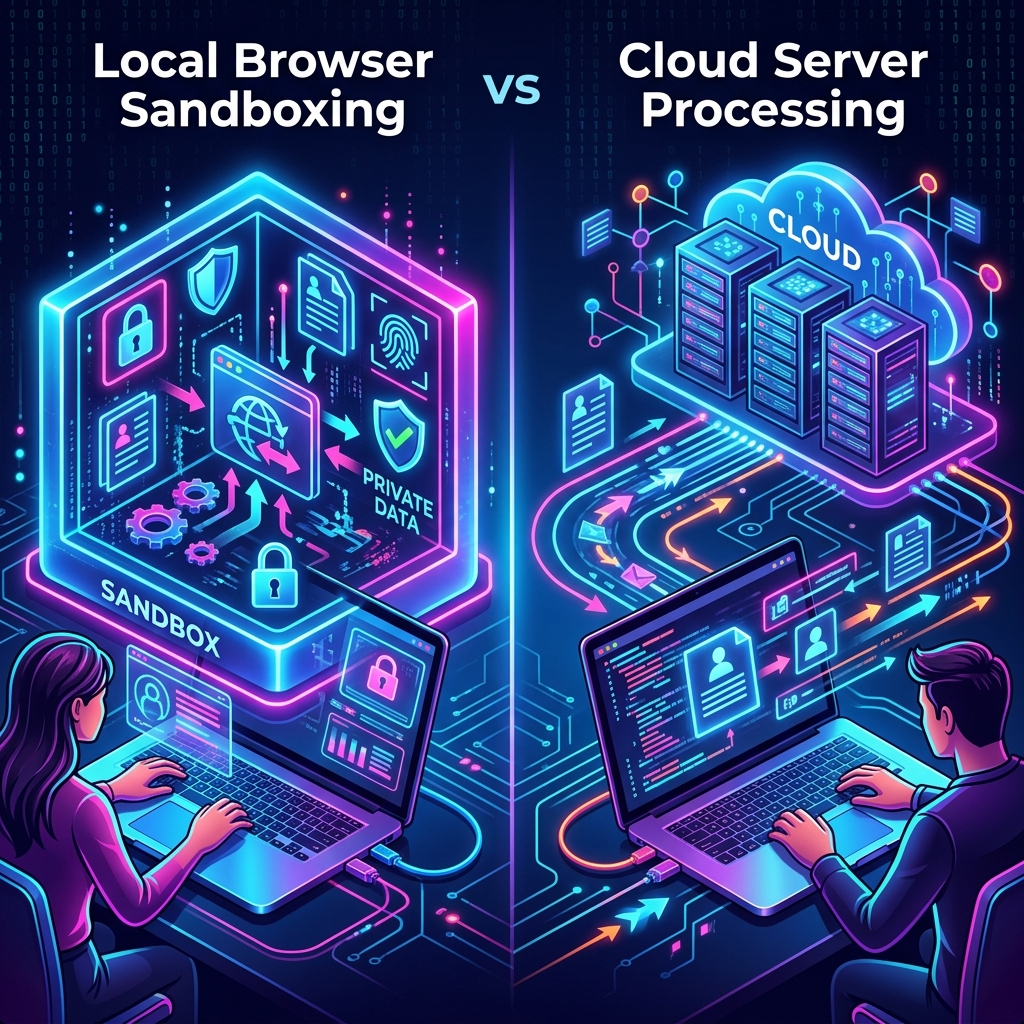
| Architectural Vector | Traditional Cloud Processing | Client-Side WebAssembly |
|---|---|---|
| Data Transmission | Uploads raw file binary over WAN networks | Zero network file upload; binary data remains local |
| Data Storage Risk | Temporary server caching, log risks | No files ever touch an external drive or database |
| Network Dependency | High bandwidth required for uploads/downloads | Low bandwidth; requires only a one-time engine download |
| Compliance Viability | Fails strict zero-trust enterprise controls | Fully satisfies HIPAA, GDPR, and legal compliance |
| Execution Performance | Queued on server; dependent on server load | Instant execution scaled by local machine hardware |
The Architecture of a Client-Side PDF Converter
Inside a true client-side app, your browser tab mimics a localized micro-server. The engine initialization cycle consists of three main stages: compilation delivery, instantiation, and thread memory allocation. When you open a tool page on Utilitly.com, the pre-compiled WASM binary is loaded into the browser's engine cache, which keeps execution lightning-fast on subsequent visits.
[File Payload Drop] ──► [WASM SharedArrayBuffer Memory Allocation] ──► [Local Binary Processing] ──► [Client Stream Download]
When a PDF file is dropped onto the processing canvas, the JavaScript layer captures the file handle locally as an ArrayBuffer. This data stream is written directly into the linear memory array allocated specifically to the WASM instance. Crucially, WASM operates within strict architectural limits: standard 32-bit WASM implementations are bound by a hard 2GB or 4GB heap memory ceiling (depending on the browser engine). This forces developers to write highly efficient, memory-safe C++ or Rust code that manages pointers meticulously, rather than relying on bloated server-side garbage collection.
The underlying low-level binary logic loops through the file contents, handles the formatting changes, and writes the output file right back into a separate browser memory buffer. JavaScript then converts this target block into a local object URL (blob:https://...), allowing you to save the file instantly without a single network packet leaving your computer.
Security Auditing: How to Verify No Data Leaves Your Machine
Because a zero-trust architecture can easily be claimed on any landing page, engineers and security teams must know how to inspect the underlying software behavior. You do not need an external security clear certification to verify that your documents remain private; you can audit the data streams directly using standard native developer tools.
Checking the Network Tab in Browser Developer Tools
- Open your web browser (Chrome, Firefox, Safari, or Edge) and navigate to the local utility tool page.
- Right-click anywhere on the interface and select Inspect or press F12 to open the Developer Tools panel.
- Switch directly to the Network tab and toggle the All or Fetch/XHR filter view.
- Drag and drop a sample PDF file into the application processing window and run the conversion.
- Monitor the network log layout line items closely during processing.
┌────────────────────────────────────────────────────────────────────────────────────────┐
│ DevTools - Network Tab                                                      [ Pres. ]  │
├────────────────────────────────────────────────────────────────────────────────────────┤
│ Name               │ Status │ Type     │ Initiator │ Size    │ Time    │ Waterfall     │
├────────────────────┼────────┼──────────┼───────────┼─────────┼─────────┼───────────────┤
│ engine.wasm        │ 200    │ wasm     │ script.js │ 1.2 MB  │ 45 ms   │ █             │
│                    │        │          │           │         │         │               │
│ ──► [ NO OUTBOUND FETCH / UPLOAD DATA PACKETS DETECTED DURING DATA EXTRACTION ] ◄──    │
└────────────────────────────────────────────────────────────────────────────────────────┘
A genuine client-side application will show zero active HTTP POST, PUT, or Fetch requests transmitting binary payloads to external domains while your document is being processed. The only files appearing in the network log are static assets, layout configurations, and the engine download itself.
Conclusion: The Zero-Trust Future of Document Management
The verification steps above aren't a hypothetical exercise — they're what our team actually runs against every new tool before it ships, and what we'd encourage you to run against any "private" web tool that touches sensitive files, ours included. Trust that's checkable in a Network tab is worth more than trust that's asserted in a privacy policy.
Navigate to any Utilitly tool, open DevTools, and watch the Network tab yourself while it processes a file — that's the real proof, not this article.
Frequently Asked Questions
Are online PDF tools safe to use?
Traditional online PDF tools are inherently unsafe because they require you to upload your files to a third-party server, creating a data breach risk. Tools built with client-side WebAssembly are architecturally different: they process your PDF entirely within your browser's local memory, so your document is never uploaded to the cloud and cannot be intercepted, logged, or stolen by the service provider.
Does WebAssembly run the same way in every browser?
WebAssembly itself is a W3C standard implemented consistently across Chrome, Firefox, Safari, and Edge. What varies more is support for related features like SharedArrayBuffer, which requires the Cross-Origin-Opener-Policy and Cross-Origin-Embedder-Policy headers covered above — support for those headers is now broad across modern browsers, but older browser versions may not enable cross-origin isolation.
Can a website read my files without me uploading them?
A website's JavaScript can only read a file you explicitly select or drag in — the File API requires user action, and there is no way for a page to silently reach into your filesystem. Once a file is selected, though, whether that data then gets network-transmitted depends entirely on the site's code, which is exactly why checking the Network tab matters more than trusting a privacy policy.
Does client-side WASM processing work on mobile browsers?
Yes — mobile Safari and mobile Chrome both support WebAssembly execution. The practical constraint on mobile is available device RAM rather than the WASM runtime itself, so very large files may process more slowly on a phone than on a desktop with more memory.
How can I independently verify a "zero-trust" claim from a PDF tool?
Open your browser's Developer Tools (F12 or right-click → Inspect), switch to the Network tab, run the tool against a sample file, and watch for outbound POST/PUT/Fetch requests carrying binary payloads. If the only network activity is the initial page and engine download — with nothing new firing while your file is processed — that's a verifiable, not just asserted, zero-upload architecture.